
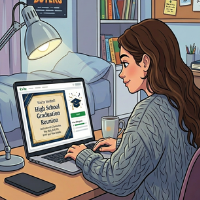
 Phishing scams come in many forms, and attackers regularly swap out the bait. The latest version uses fake digital invitations to steal credentials or take over your computer entirely.
The setup is simple. An email or text arrives appearing to come from a legitimate invitation platform. Evite, Paperless Post, and Punchbowl are the most frequently impersonated. A friend's name is listed as the host. The design looks authentic. Security researchers tracked the campaign's infrastructure back to December 2025 and identified around 80 phishing domains and 160 suspicious links, all built to spoof familiar "Sign in with Google" and "Sign in with Microsoft" login screens. The Federal Trade Commission issued a consumer alert on May 26, 2026, flagging it as one of the more widespread phishing efforts currently circulating.
Two Versions in Circulation
Credential Theft
Some fake invitations ask you to enter your email username and password to view event details. Others ask for a phone number and a verification code to RSVP. Real invitation platforms do not work this way. Once scammers have your login, they search your email for banking details, initiate password resets, and intercept the login codes sent back to your now-compromised account.
Remote Access Malware
A second variant goes further. Clicking the link redirects victims to download a file, often named something like RSVPPartyInvitationCard[.]msi. The page auto-triggers the download to reduce hesitation. The file is not an invitation. It installs ScreenConnect, a legitimate remote support tool, silently in the background. Once installed, attackers have the same level of access to the machine as a remote IT technician. The first signs are often unexplained cursor movement, windows opening on their own, or a software process the user does not remember installing.
How They Make It Convincing
These campaigns are more effective when attackers already know something about you. Scammers harvest publicly available information from social media profiles, data broker sites, and previous breaches to personalize the lure. A fake invitation arriving with a real friend's name, a reference to a shared connection, or a venue in your area is not a coincidence. It is built to be convincing. The goal is to reduce the moment of hesitation long enough for you to act before you think. Once credentials are captured, the same harvested data helps attackers answer security questions, bypass account recovery checks, and access secondary accounts.
Red Flags
- Any invitation asking you to log in before viewing it
- A prompt to enter a phone number and share a verification code to RSVP
- A link delivering a file download to view an invitation
- A sender address not matching the official platform domain
- Unexpected invitations from people you have not been in contact with recently
If You Clicked
If you entered credentials, change your email password immediately, enable two-factor authentication, and check your financial accounts. Contact your bank right away if anything looks off.
If you downloaded and opened an attachment, disconnect from the internet and run a full malware scan. ScreenConnect installations persist and give attackers ongoing access, so consider getting professional help to confirm the machine is clean.
- Log in to post comments